The first surprise most teams get from coding agents is not a bad pull request. It is an invoice. A run that loops on a flaky test, an agent that reads the whole repository into context on every step, a workflow that fires on every new issue instead of the labelled ones: each of these can spend real money while nobody is looking.
The fix is not to stop using agents, or to slap a single monthly cap on the account and hope. It is to treat spend as part of the workflow, with estimates, limits and clear behaviour at the edges. This post covers where agent costs come from, why simple caps fail, and the budget design we think works.
Where agent spend comes from
Agent costs have two main sources.
- Model usage. Every step sends tokens to a model and gets tokens back. Input often dominates for coding work, because agents read a lot of code, logs and test output. Long contexts, repeated reads and verbose tool output all add up.
- Compute. Runs need somewhere to execute: a cloud sandbox or machine billed by the minute, plus whatever your CI costs for the extra pull requests.
On top of those, three multipliers drive most of the variation:
- Retries. A step that fails and retries with feedback costs roughly as much again each time.
- Context size. Pulling in entire directories “just in case” makes every subsequent call more expensive.
- Concurrency. Ten runs in parallel spend ten times as fast. That is the point, but it means mistakes compound quickly too.
Why a single monthly cap is not enough
A workspace-wide monthly cap is necessary, but on its own it fails in predictable ways:
- It trips too late. By the time the cap hits, the money is spent, often by one misbehaving workflow.
- It stops everything. One team’s runaway job blocks every other team’s work for the rest of the month.
- It says nothing useful. “Limit reached” does not tell you which workflow, run or step was responsible.
- It kills work mid-flight. If the cap cuts runs off abruptly, you lose the spend and the progress.
Good budget design fixes all four.
Five principles for agent budgets
1. Show dollars, not credits
Abstract units such as credits, compute units or “agent hours” make it hard to reason about cost. Show money. Tokens and minutes are useful as an explanation of a cost, not as the unit people are asked to budget in.
2. Estimate before, meter during, attribute after
Each run should show:
- an estimate before it starts, based on similar past runs where possible, so a person can see an expensive run coming;
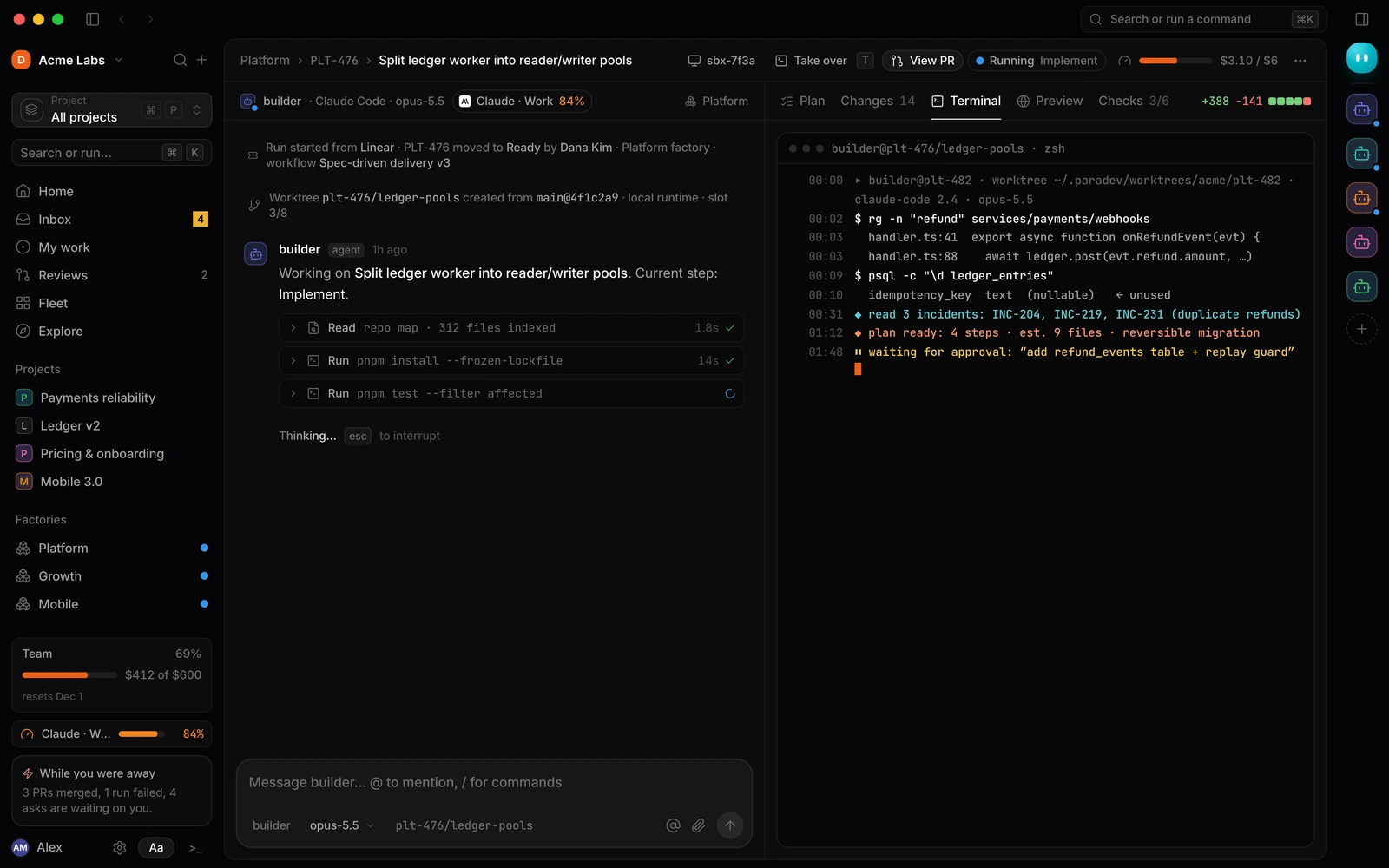
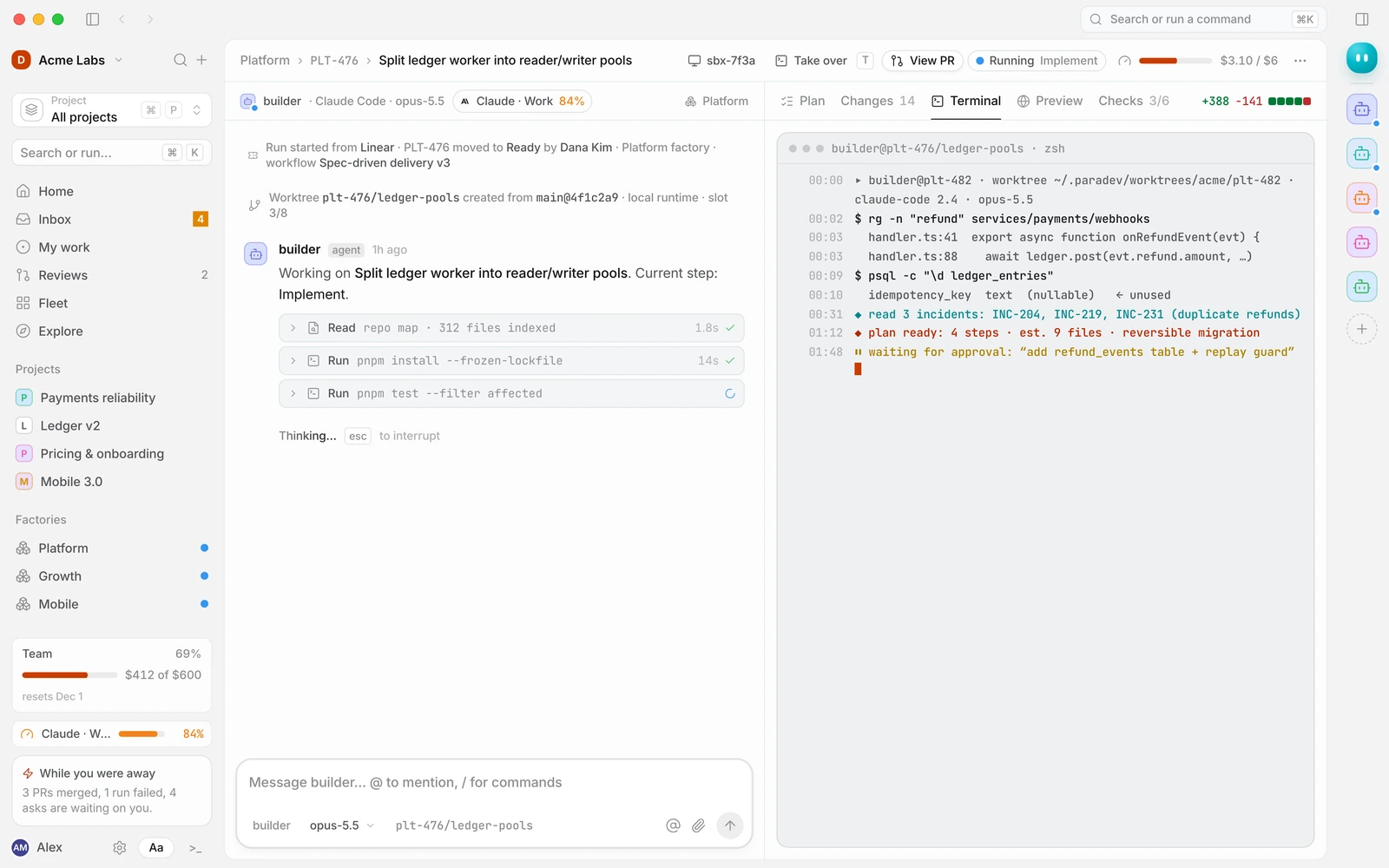
- a live meter while it runs, spend against the run’s cap, visible next to the work;
- attribution afterwards, cost broken down by workflow, step, agent, model, project and person, so you can find what to improve.
3. Scope budgets where decisions are made
Budgets work best at the level where someone can act on them. Useful scopes include:
- per run: the cap on a single piece of work;
- per workflow or factory: what a class of work may spend per day or month;
- per project or team: the envelope a lead manages;
- per person or agent: useful for spotting outliers;
- per workspace: the overall ceiling.
When several budgets apply, the lowest remaining limit wins. A run in the Platform factory is bound by its own cap, the factory’s daily budget, the project’s monthly budget and the workspace ceiling, whichever is closest to running out.
4. Never kill a run mid-step
When a limit is reached, the worst thing to do is stop the agent halfway through an edit. The best behaviour is to:
- finish or safely interrupt the current step,
- checkpoint the run’s state,
- stop billing compute,
- ask a person what to do: raise the limit, approve once, or stop.
Resuming should take one click and lose nothing. Nothing should ever be stopped silently.
5. Name the limit that bound
When a run pauses, the message should say exactly why: “Paused by the Platform factory’s daily budget ($40 of $40)”. That tells the person whether to raise one budget, investigate one workflow or wait until tomorrow.
Setting your first budgets
If you are starting from nothing, this order works well.
- Set a workspace ceiling comfortably above what you expect to spend, as a backstop.
- Cap every run. Pick a number that covers a typical successful run for the lane with headroom. Watch a week of runs and adjust.
- Add a pause threshold. At, say, 80% of the run cap, pause and ask rather than continuing, so a person sees expensive runs before they finish.
- Budget each factory or workflow per day. This contains runaway triggers to one area.
- Limit concurrency per workflow, especially for triggers that can fire in bursts, such as alerts.
- Review attribution weekly. Look at the most expensive runs and the workflows with the highest cost per merged pull request.
Alerts people actually read
Alerts at 50%, 80% and 100% of a budget are a sensible default, with one rule: send them to the people who can act. The factory owner should hear about the factory budget; finance should hear about the workspace ceiling. An alert that goes to everyone is read by no one.
Make each alert specific: which budget, how much is spent, what is driving it and a link straight to the runs responsible.
Reducing spend without reducing output
Once you can see where money goes, the biggest savings usually come from workflow changes, not from switching models.
- Write better issues. A clear issue with a reproduction saves exploration in every step.
- Approve plans first. Catching a wrong approach before implementation avoids paying for a diff you will throw away.
- Fail fast. Put cheap checks, such as triage, reproduction and lint, before expensive steps, and cap retries.
- Right-size models per step. Routine steps such as summarising test output or formatting a pull request description often run well on smaller, cheaper models. Reserve the strongest model for planning and difficult implementation.
- Trim context. Give agents an index of the repository and let them fetch what they need, rather than pre-loading everything.
- Narrow triggers. A label applied by a person costs nothing compared to a trigger that picks up every new issue.
Bring your own key
Some teams prefer to use their own model provider accounts, for billing, compliance or negotiated rates. That works, but keep the visibility: model spend billed to your provider should still show up in run attribution as an estimate, clearly marked as billed elsewhere, so the total cost of a workflow is never hidden.
A budget policy template
| Scope | Period | Limit (example) | At the limit |
|---|---|---|---|
| Run | Per run | Typical run cost plus headroom | Pause at 80% and ask |
| Workflow | Per day | Expected daily runs × run cap | Pause new runs, notify the owner |
| Factory | Per month | Team’s agreed envelope | Pause and ask the factory owner |
| Person | Per month | Optional, for visibility | Notify only |
| Workspace | Per month | Backstop above expected total | Pause and notify admins |
The numbers depend entirely on your codebase, models and lanes, so treat the example column as a pattern, not a recommendation. Start conservative, then raise limits as you learn what successful runs actually cost.
Frequently asked questions
How much does an AI coding agent cost per task?
It varies widely with codebase size, model choice, how much context the agent reads and how many retries the workflow allows. The reliable approach is to measure your own runs for a week, then set caps based on what successful runs cost.
What happens when an agent hits its budget?
In a well-designed system, the run pauses at a safe checkpoint, compute billing stops and a person is asked whether to raise the limit, approve once or stop. Work should never be lost or killed mid-step.
Should we set budgets per developer?
Per-person budgets are useful for visibility but are rarely the right place to enforce limits. Budgets per workflow and factory are closer to where cost decisions are made.
Is it cheaper to use smaller models?
For routine steps, often yes. For planning and complex implementation, a stronger model that succeeds on the first attempt can cost less than a weaker one that needs several retries. Measure cost per merged pull request, not cost per call.
Keep spend predictable from the first run
Duun shows an estimate before every run, a live meter during it and attribution afterwards, with budgets at every scope and runs that pause instead of failing. Read more about keeping humans in control, see how to set budgets and alerts and workflow limits, what to do when a run is paused by a budget, or request early access.