Connect GitHub, Linear and Slack
Connect your repos, issue tracker and chat so agents can read code, pick up issues and tell you when they need you.
On this page
Agents need three things to do useful work: code to change (GitHub), work to pick up (Linear or GitHub issues) and a place to reach you (Slack). You connect all three from Settings → Integrations & MCP. Admins can connect integrations for the whole workspace; anyone can connect an integration for themselves.
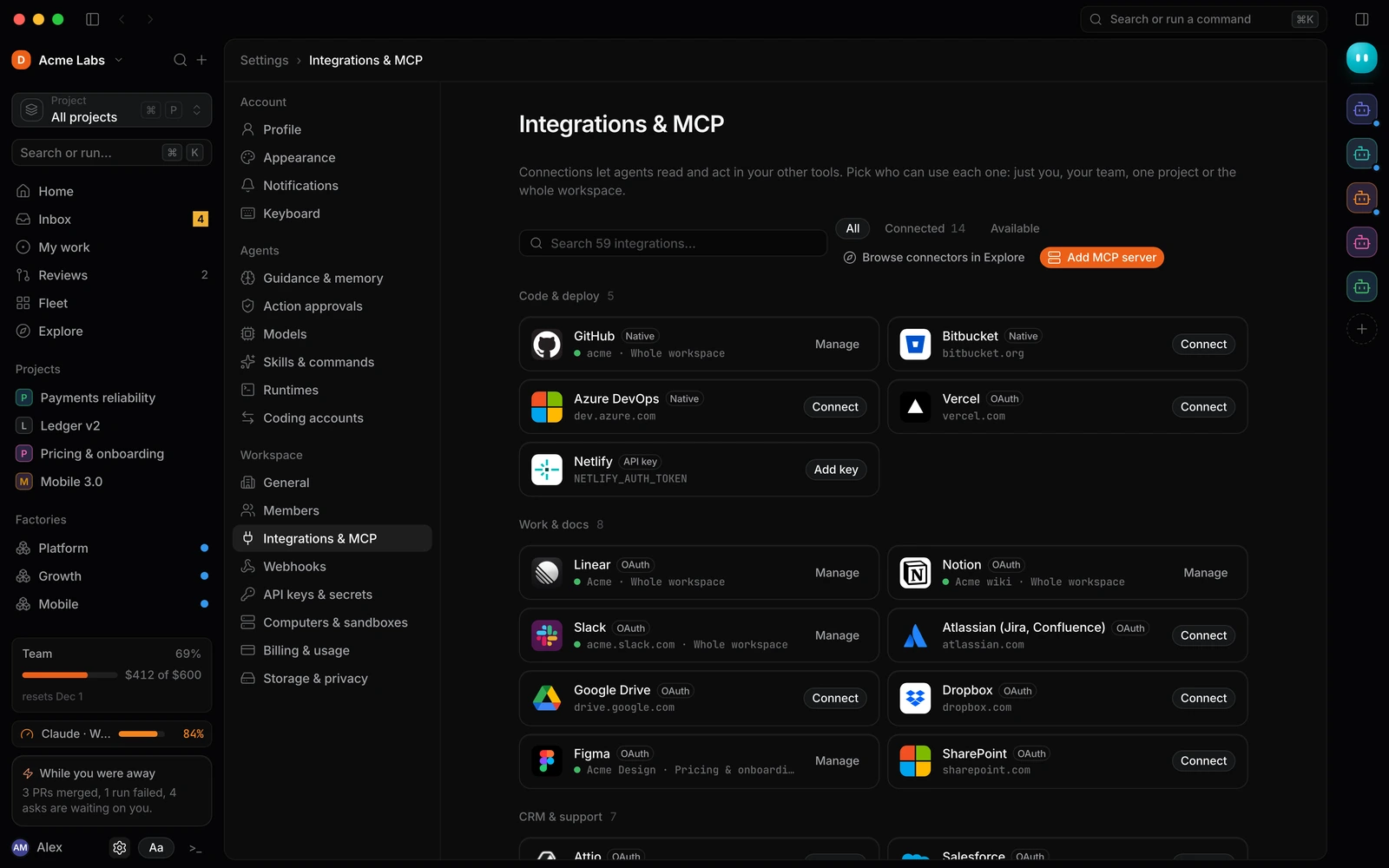
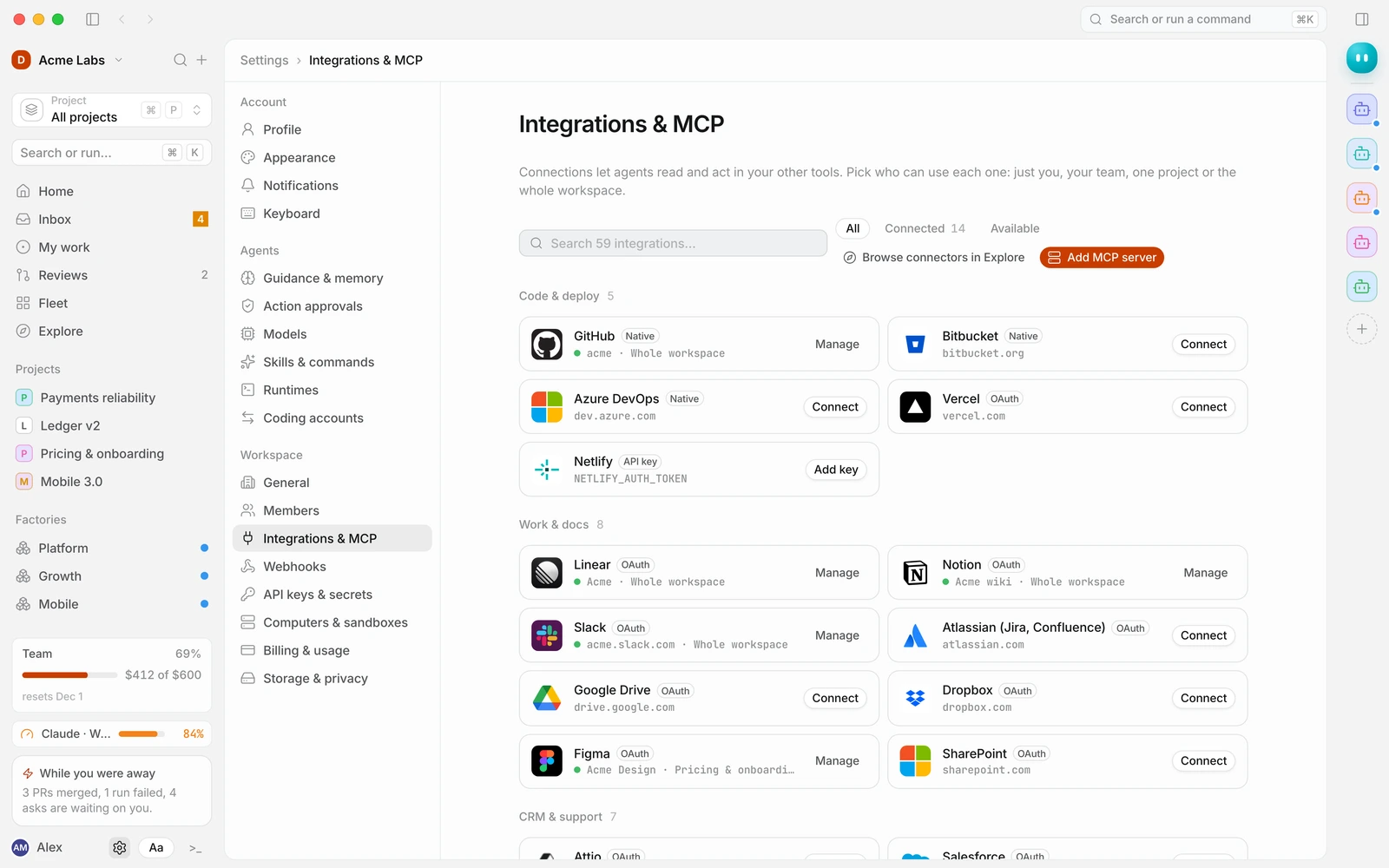
Connect GitHub
- Open Settings → Integrations & MCP and find GitHub. Use the search box at the top if you don’t see it.
- Select Connect GitHub. GitHub opens in a new tab.
- Install the Duun app on your GitHub organisation and choose which repositories it can access. You can pick all repositories or only some. You can change this later in GitHub.
- Return to Duun and choose Who can use it. Pick Whole workspace so every project can open pull requests in these repos.
Agents read repos for context and open pull requests from their own branch. They never push to your default branch directly.
Connect Linear
- Find Linear in Settings → Integrations & MCP and select Connect Linear.
- Approve access on linear.app, then come straight back to Duun.
- Choose Who can use it, usually Whole workspace.
- Decide whether agents can write to Linear. Read (required) lets agents search and read issues as context. Write access lets them comment and update issues; each write still follows Action approvals.
Once Linear is connected, a factory can start a run whenever an issue gets a label such as ready. See Start your first run.
Connect Slack
- Find Slack and select Connect Slack.
- Approve access on slack.com for your Slack workspace.
- Choose Who can use it.
- Open Settings → Notifications and turn on Slack to get asks and the daily digest there.
With Slack connected you can start runs with /build, and workflows can post results to a channel.
Choosing who can use an integration
| Option | Meaning |
|---|---|
| Just me | Runs you start can use your account |
| My team | Everyone on your team |
| Project | Only runs inside the project you pick |
| Whole workspace | Every project and teammate |
Pick the narrowest option that works. A connection for a single project keeps, for example, a Stripe test account away from unrelated work.
If something goes wrong
- The integration shows a warning or “Reconnect”. The token expired or someone revoked access. Follow Fix a disconnected integration.
- A repo is missing. The Duun app on GitHub doesn’t have access to it. Add the repo in your GitHub organisation’s app settings.
- You don’t see the Connect button. Workspace-wide connections need an Admin. Ask one, or connect it for Just me.
Developers can read about scopes and MCP servers in Connecting integrations.